
Your email (client). Your rules. Your privacy.
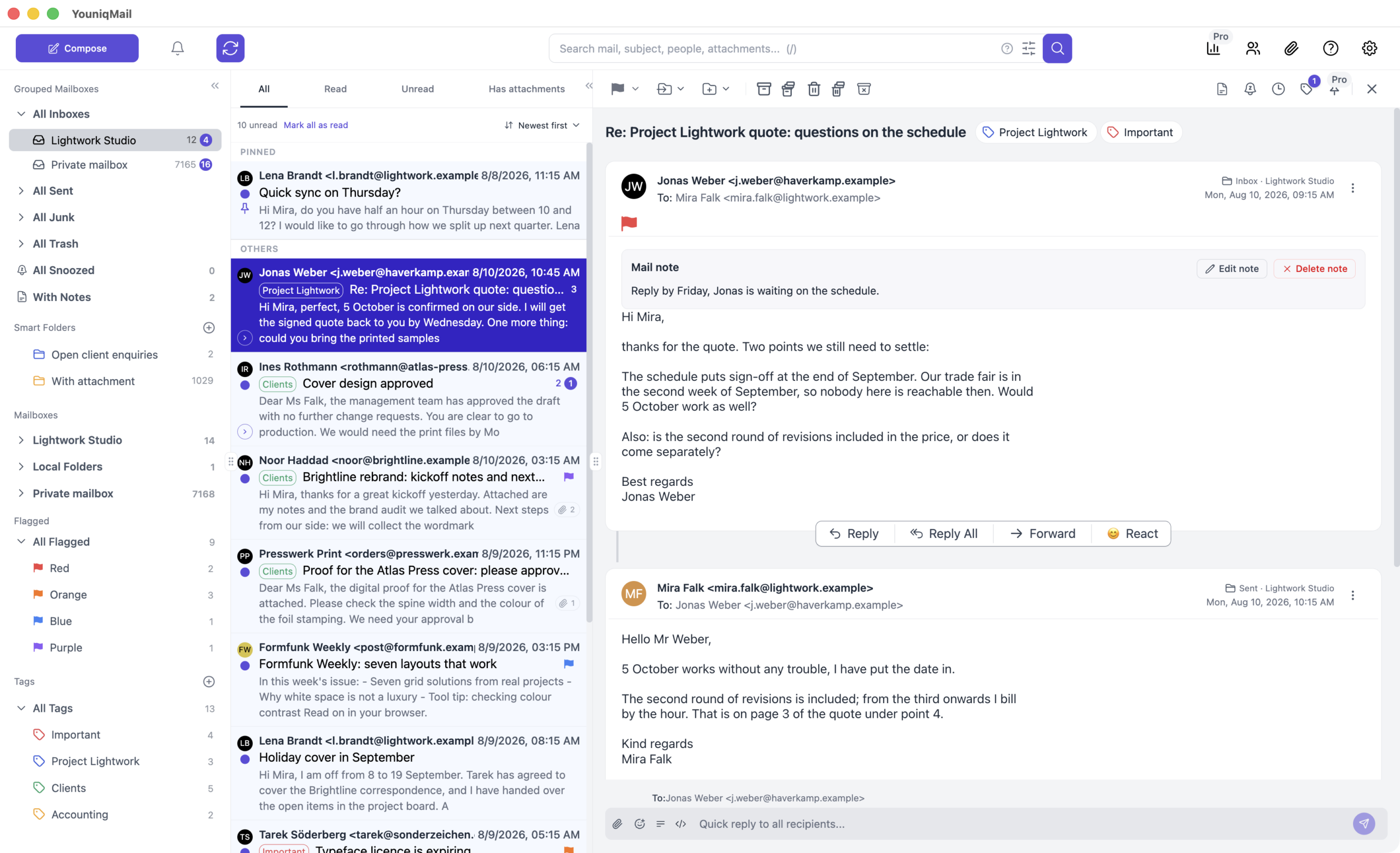
Download YouniqMail Beta Phase
desktop email client.
Current Phase: Beta Phase
Current Version: v0.9.5 - 3rd October 2026
Sign up for development updates
YouniqMail isn't for everyone — it's for anyone who finally wants to adapt their inbox to their work style and workflow, without compromising your privacy
All data is stored local - no YouniqMail servers involved
While other mail apps route your messages through their servers, YouniqMail keeps things private by connecting straight from your device to your email provider. (We don’t even have any servers, except the one on which this website and our public email tools run 😉)
We just want your money and feedback - not your data
We know that not every user needs the premium functions. That’s why YouniqMail has a simple Freemium model. So YouniqMail don’t collect any and share any personal data with third parties.
Highly customizable - adapt to your work/-mailflow
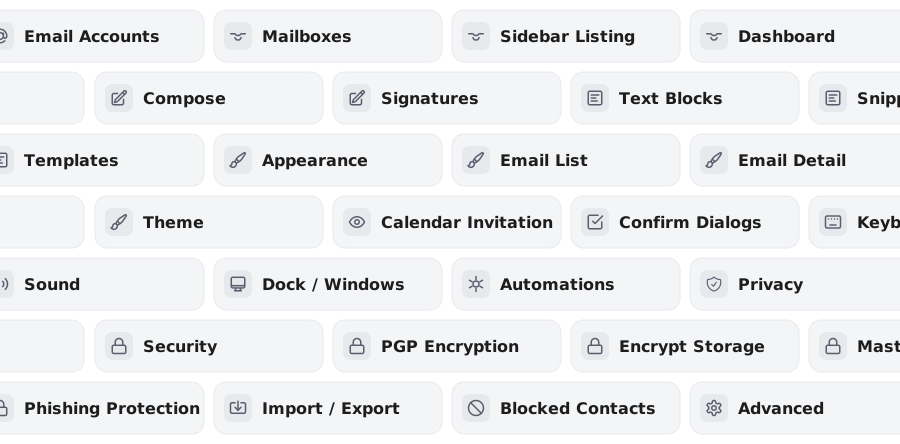
Supports IMAP and SMTP (also Gmail, iCloud...more soon)
There are so many mail and hosting providers, that’s why YouniqMail is designed to work with almost any IMAP and SMTP provider, not just one. Many preconfigured providers, including Gmail, iCloud, Yahoo, GMX, WEB.DE, Microsoft 365 and Outlook, so you only need your address and password. Add as many accounts as you like and read them all in one inbox.
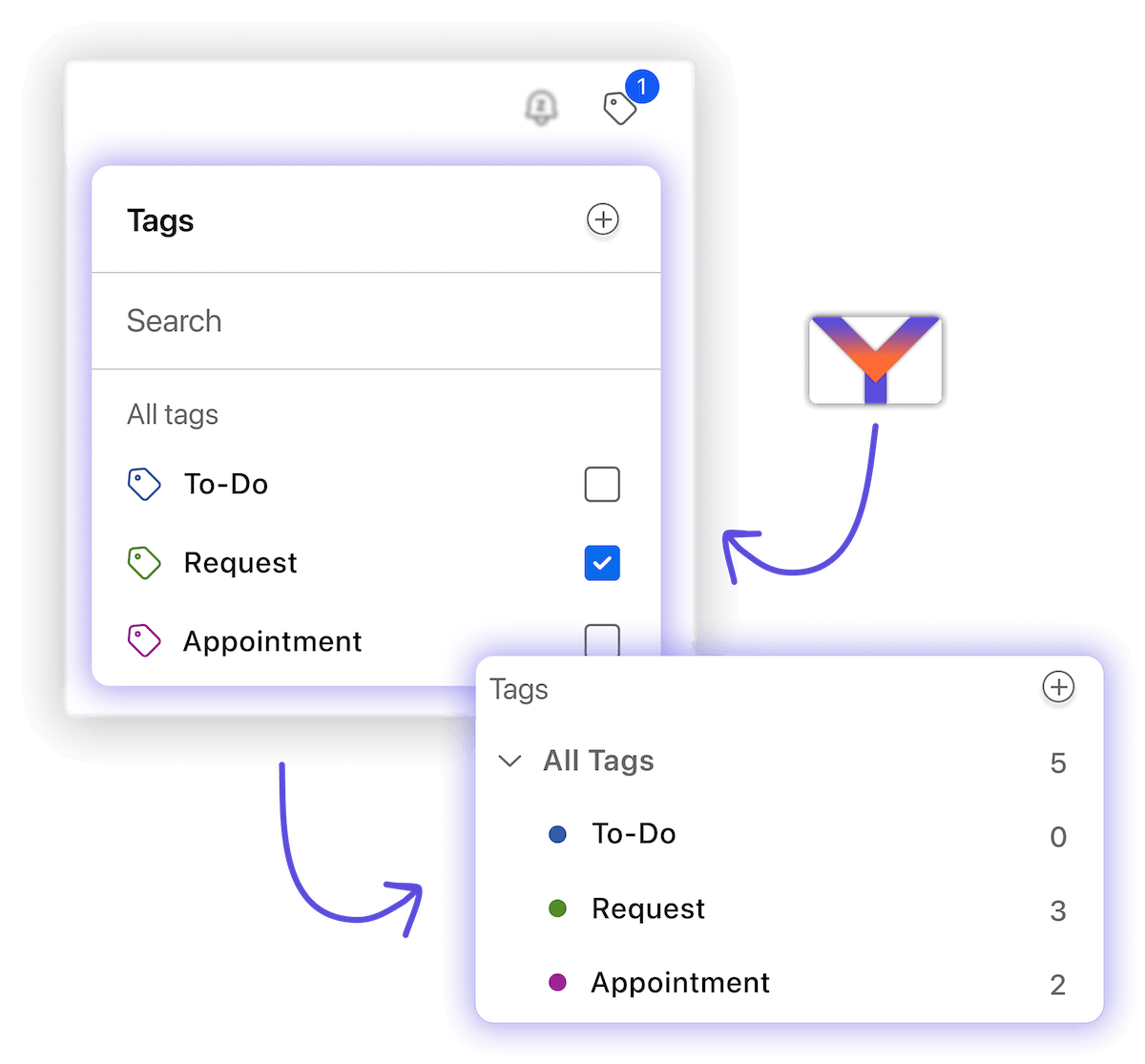
Full Tag-System
The ability to organize or add additional labels to your emails using a tag system. Create tags with names and colors and assign them to emails.
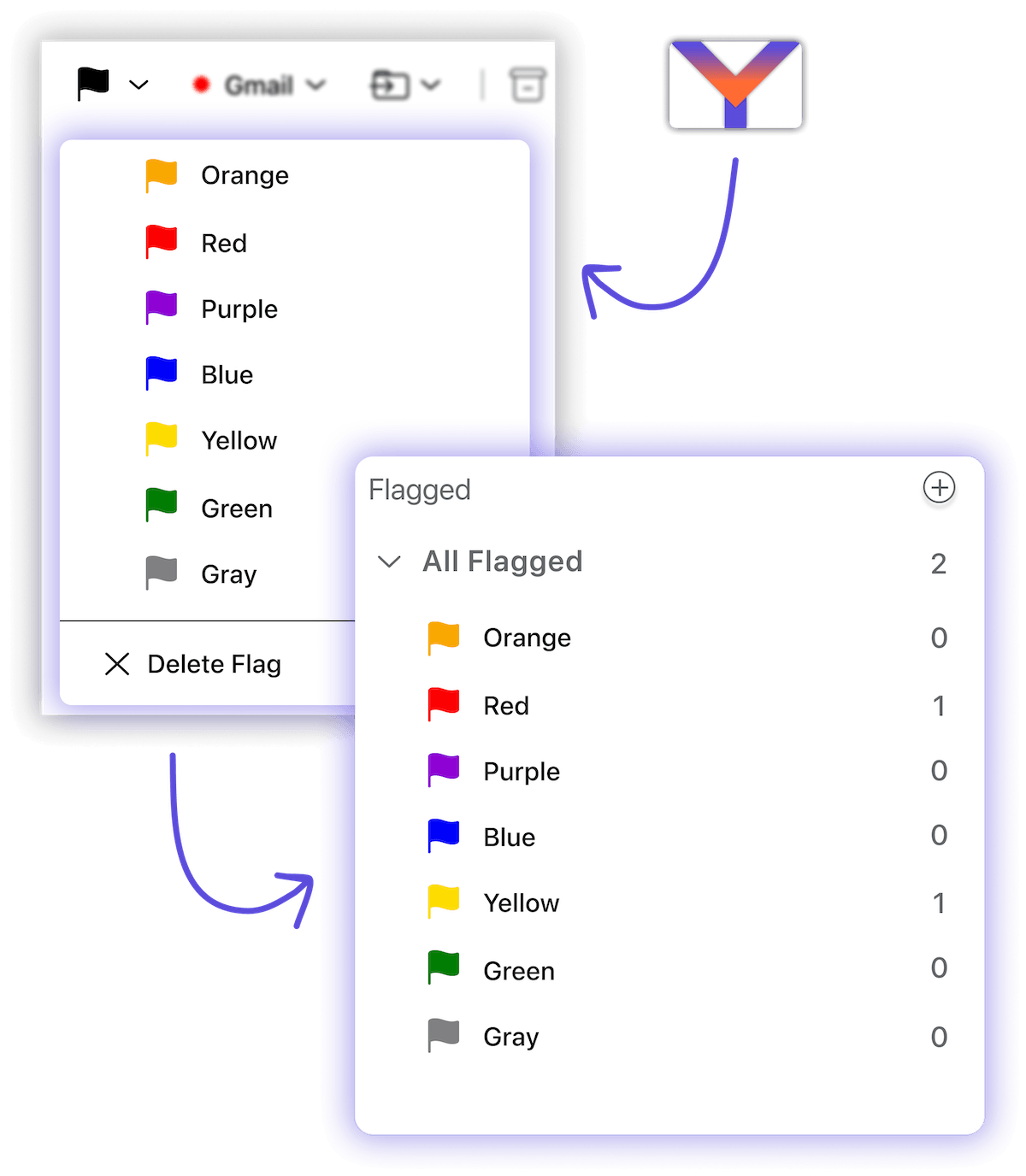
Compatible Flags-System
You may know it from Apple Mail: The ability to organize / categorize your mails with colored flags. Compatible with the Flags from the Apple Mail Client and Spark’s (orange) pinned feature.
Add notes to emails
You can add notes to your emails and of course they get marked with a note icon and can be found in a special grouped mailbox. Only you can see the notes.
Complex search & filter options
Don’t worry: you will find your mails with the YouniqMail Search and multiple filter options.
Relax & take a snooze
Organize your inbox with the snooze function: Select a predefined date and time or set a custom time. Select if you want to get a system notification when the mail unsnoozes.
Smart attachment handling
Easy to use and convenient handling of attachments. You get previews, some meta information like file sizes and file type and easy save to your disk. When sending attachments you can easily resize the images before sending.

Full contact management & contact details off-canvas
Organize all your (mail) contacts in the contacts window. It already supports sorting, filters, searching and bulk editing.
Also including a companies and groups system for your contact.
If you click on a contact the contact details off-canvas will open.
Full attachment management
Like the contact management there is also a management and overview window for all your attachments. Quickly find and download attachments with sorting, filters, searching and bulk actions. You can also quickly open the associated email.
Automations / rules system
Integrations to third-party tools and webhooks
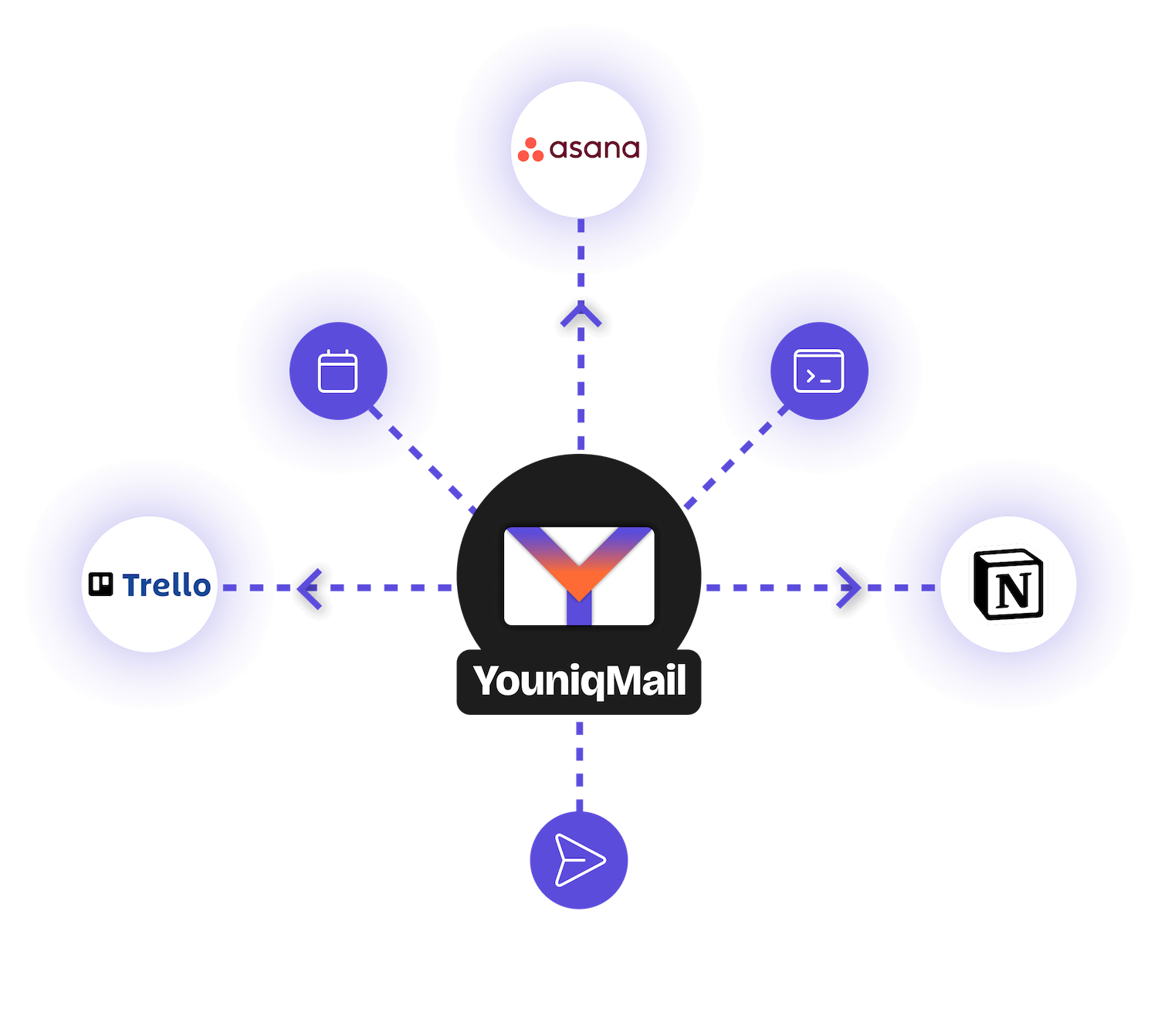
YouniqMail and it’s automation rules supports webhooks and multiple integrations to third-party tools like Trello, Asana, Notion and CalDAV (will add more soon). You can also run your own shell scripts.
Keyboard shortcuts system
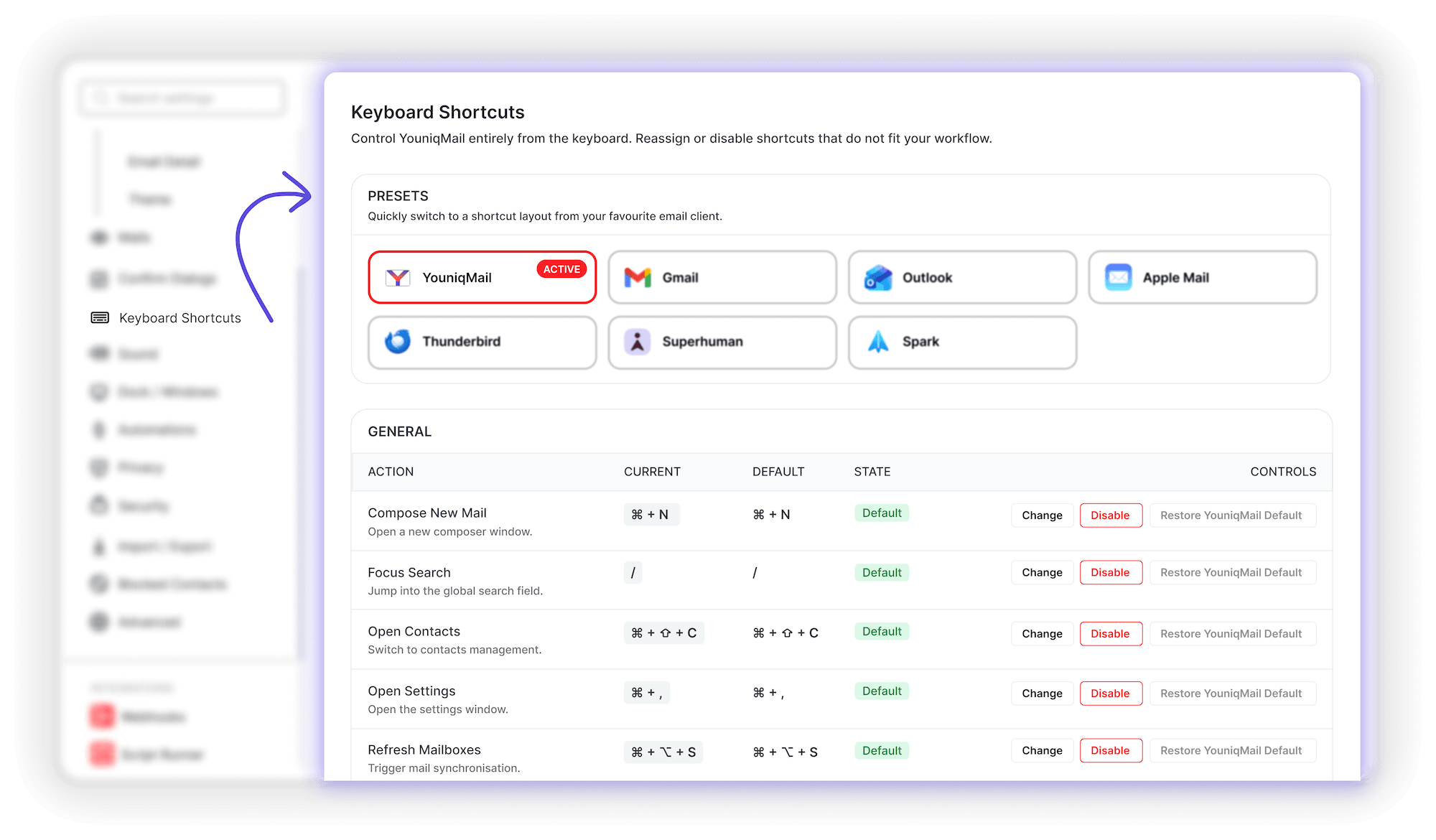
A frequently expressed wish: keyboard shortcuts or operation via keyboard. So YouniqMail already has a basic and configurable keyboard shortcuts system. Also with presets from other email clients.
Email Dashboard
See everything that matters, at a glance: The Dashboard puts your most important email insights front and center. Fully customizable with 18+ widgets, 4 presets, and drag-and-drop layout, so your inbox overview fits your workflow.
PGP support
Encrypt and sign your emails with OpenPGP, right on your device and with no YouniqMail servers involved. Create a new key pair or import your existing one, find your contacts’ keys on public keyservers or import them straight from an attachment. With Autocrypt, keys are exchanged automatically with compatible clients like, even in encrypted group conversations. Incoming signatures are verified as soon as you open an email.
S/MIME support
Sign and encrypt your emails with X.509 certificates, the standard used by Outlook, Apple Mail and most corporate mail systems. Import your certificate as .p12/.pfx or straight from your system keychain. Certificates from signed emails you receive are collected automatically, and every signature is verified locally on your device, with no YouniqMail servers involved.
Phishing protection & detection
YouniqMail checks incoming emails for phishing signs as soon as you open them: spoofed senders, misleading links, lookalike domains, dangerous attachments and failed SPF/DKIM/DMARC checks. A clear warning shows what looks suspicious, and risky links ask before they open.
Block senders & contacts
Block unwanted senders with one click or patterns. Need more than a single address? Block whole domains or any address that contains, starts or ends with a certain text. New emails from blocked senders go straight to Junk or Trash, and if you like, all their existing emails are cleared out of every folder the moment you block them. A small icon marks blocked senders in your email list.
Recipient Intelligence
Email Statistics
See what’s really going on in your inbox. Interactive charts show your email volume over time, your busiest days and hours, your top senders and domains, and your reply rate, including who rarely hears back from you. You can filter by time range and account, choose which charts to show, and it’s all calculated on your own computer.
...and many more features
- Undo send
- Offline-support
- Add multiple email accounts / domains
- Combined mailboxes: All Inboxes, All Sent, ... and more
- Native operation system notifications for new emails
- Dark mode support
- The settings are searchable
- Local folders
- BIMI Validation with Brand Logos (VMC/CMC Certificate)
- Tracking protection & image blocking
- Follow-up reminders
- Visual, HTML & Markdown editor
- Available in 20 languages
- Master password with automatic lock (of UI)
- Pin emails to the top
- Chat-style quick reply in conversations
- Forgotten attachment warning
- Read receipts: request them and decide how to answer
- Mailbox storage quota with a warning before it is full
- Configurable dock and taskbar badge
- Easy to use signature management
- Quick reply to all recipients
- Export / import (currently .eml, .emlx and .mbox,will add more soon)
- Contacts are created automatically from your emails
- Convenient application updates (install & restart)
- Mail account credentials store encrypted in safe storage of your operating system
- Drag & drop mails and reorder mailboxes / mailaccounts
- Encrypted local database (optional)
- Smart folders & saved searches
- Newsletter management & one-click unsubscribe
- Aliases & sender identities
- Calendar invitations in your inbox
- Link preview on hover shows where a link really leads
- Confirmation before opening risky attachments
- Emoji reactions, compatible with Gmail
- Do Not Disturb mode
- Undo for archive, delete, move, flag and more (Cmd/Ctrl+Z)
- Contact import
- Bounce detection for undeliverable emails
Join the newsletter and
keep updated
Sign up to our newsletter to get the latest updates and news for your future mail client.
And join our
feedback platform
Participate in the feedback platform to submit bugs or feature ideas and see the latest development updates
Frequently asked
questions
What about the development of YouniqMail? Will there be a (public) alpha and/or beta phase?
I always want to develop very closely with the community/users, so I’m looking forward to a lively exchange with you. The alpha phase started on 14th December 2025 and is in beta phase since 09th March 2026 where everyone is invited to test the email client and give feedback. Of course the alpha and beta phase will be free for everyone.
Follow the development updates on the feedback platform (https://feedback.youniqmail.com).
How much will YouniqMail cost?
The price for the Premium subscription will be announced soon. Of course there will also be a Beta / Early Bird discount.
Of course, the beta and alpha phase is free of charge. Your early stage feedback is worth more than money.
Which mail providers will YouniqMail support?
YouniqMail works with any email account that offers IMAP and SMTP. That covers almost every provider, your own domain and self-hosted mail servers. You can add as many accounts as you like, also on the free plan.
For 29 providers, the setup wizard already knows the server settings. You pick your provider, sign in, and YouniqMail fills in the rest:
Major providers: Gmail, Outlook.com, Microsoft 365, Microsoft Exchange, iCloud, Yahoo Mail, GMX, WEB.DE, Bluewin (Swisscom)
Privacy-focused and independent: Proton Mail, Posteo, mailbox.org, Fastmail, Zoho Mail, Mailfence, Mailo, StartMail, Runbox, Disroot, Vivaldi Mail
Hosting and domain providers: GoDaddy, IONOS, OVHcloud, Hostinger, Strato, SiteGround, Hetzner, All-Inkl, Migadu
Is your provider not listed? Choose Setup manually (custom IMAP / SMTP) and enter the server details from your provider’s help pages.
Will YouniqMail support POP3?
No, POP3 Support is not planned. But if there is a high demand for it, it will be considered for the roadmap.
On which platforms does the client run?
YouniqMail is currently being developed for macOS, Windows and Linux.
Will there be a mobile app?
At the moment, only a desktop app (for Mac, Windows and Linux) is in development. If the response is positive enough, I will endeavor to develop a mobile app, but this will not be available at launch.
Will there be offline support?
It’s already there. YouniqMail stores your emails in a local database on your computer. Once the first sync has finished, most of your daily work no longer needs a connection:
- Read and search every synced email. Search runs locally, so it is just as fast offline.
- Organize your mail: mark it as read or unread, flag, tag, snooze, move, archive, delete or move it to spam.
- Write new emails and replies, and save drafts. The send button changes to Queue for sending, and the email waits in the outbox.
The header shows when you’re offline. Outbox / Pending Actions in the sidebar lists everything that is still waiting for the server.
When you’re back online, YouniqMail catches up by itself. It first applies your pending changes, then sends the emails in the outbox, then fetches new mail. Anything still waiting is kept when you close the app. If an email was moved or deleted on the server in the meantime, for example from your phone, YouniqMail drops the outdated change. A change that keeps failing after several attempts stays in the list with its error message, and you can retry or discard it.
What still needs a connection: new mail, attachments you have never opened, and connected services such as Trello or Notion. YouniqMail downloads attachments the first time you open them and keeps up to about 500 MB of them. Emails in local folders keep all their attachments on your computer.
Hi 👋, I’m Sven and I started developing YouniqMail at the beginning of 2025.
In my search for an e-mail client that is data protection compliant and does not send all mails or other data via the developer’s servers, I hardly found any mail clients that came into question. Even when I did find one that could be considered, it forced you into certain ways of working and/or was not customizable enough.
So I had to start developing my own email client that was based on the three main pillars
1. privacy compliant
2. does not send data to the developer’s servers,
3. is highly customizable and offers more features to organize your mails – so you can etablish your own email workflow.
I firmly believe that every user has different workflows for their email management, which is why YouniqMail should be Younique for every user.

Blog
How Email Actually Travels From Sender to Inbox
You hit send and two seconds later it lands on another continent: how email sending works.
Encryption at Rest vs Encryption in Transit: What Is the Difference?
Encryption at rest and in transit protect against different threats. Learn what’s the difference.
Out-of-Office Messages Tips: What to Include and What to Leave Out
The lines your out-of-office message actually needs, the details most people overshare.
Email Tracking Pixels: How They Work and How to Block Them (2026 Guide)
Most emails track when and where you open them. Here is how to stop it.